◈How it works
Connect. Understand. Act — with evidence.
TaskGeniusAI brings the systems you already run into one operating model, shows what needs attention, and supports the next move inside the boundaries you configure.
The same loop runs behind the packaged Platform and behind a custom system. Only the scope changes.
One loop, five stages — and it closes.
A recorded outcome is evidence for the next pass, which is why this is a circuit rather than a funnel. Select a stage to read what it is responsible for.
01 ConnectOnly approved sources, and only what each one can reliably supply. A source that cannot answer a question is recorded as unable to answer it.
Inside the loop
Every item that needs a person says what raised it.
The loop ends at a list somebody can actually work. Each row carries the reason it surfaced — a rule, a suggested match, a manual note — so acting on it is a decision rather than a guess.
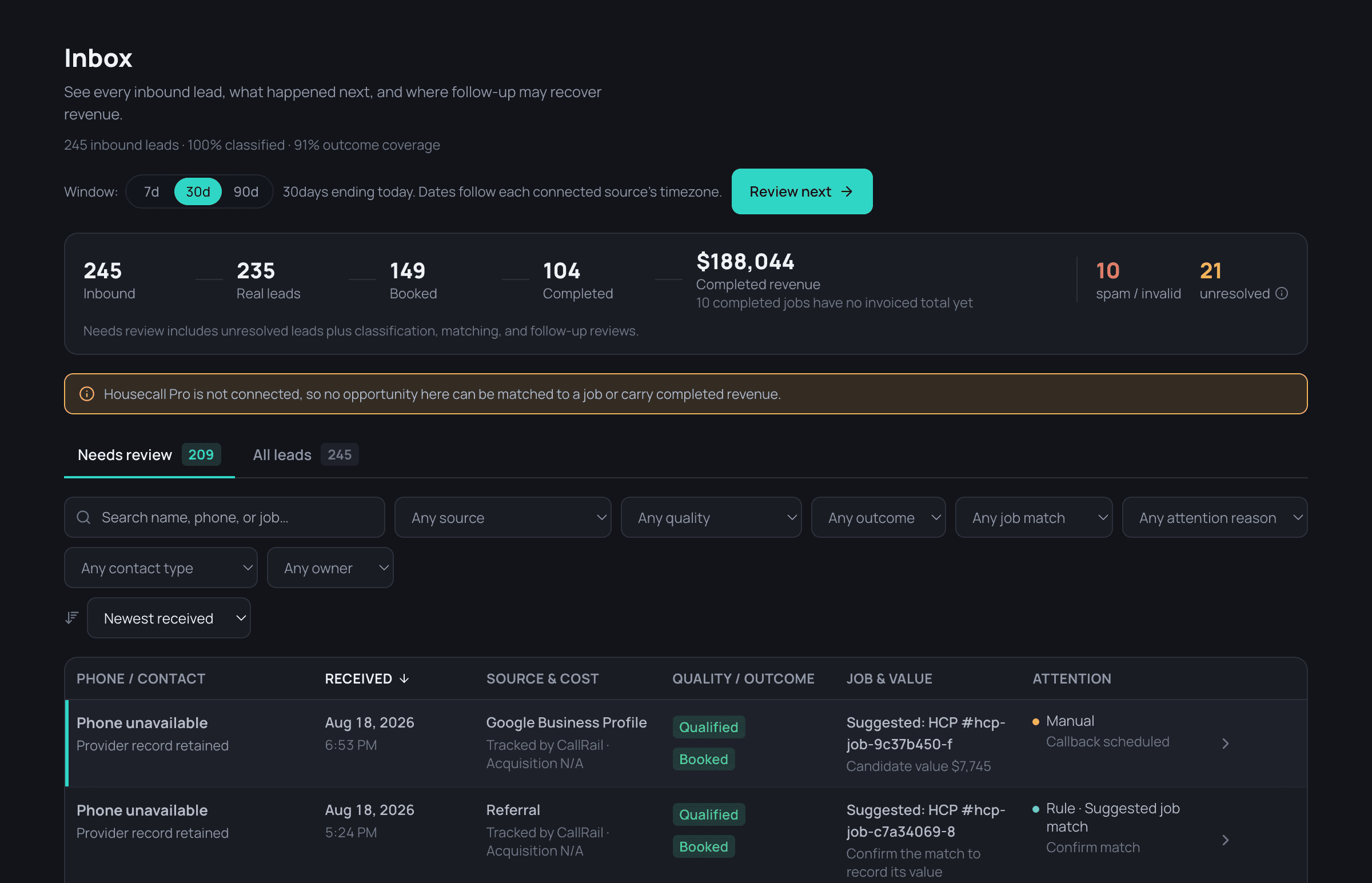
Source state travels with the number.
Trust is not a separate report — it changes what the loop is allowed to claim. A stale source does not stop the picture; it changes how firmly the picture speaks.
The Platform page covers each source state in full. Here it matters because it decides what stage 03 and stage 04 may assert.
- CurrentThe number is reported normally, with its source and sync time attached.
- StaleThe number still appears, marked as behind, so it is read with the right amount of doubt.
- DisconnectedDependent metrics stop claiming a value rather than quietly reporting the last one.
- UnavailableThe metric reads unavailable — never a confident zero that looks like real performance.
Seven different things, not one word.
“The system did it” hides most of what matters. These are kept distinct, and each one is visible for what it is.
- ObservationSomething was recorded. No claim is attached to it yet.
- Attention itemAn unresolved condition worth a person's time, with its records attached.
- RecommendationA proposed next move, carrying the reason it was proposed.
- Review requiredYour configuration requires a person to approve this class of move.
- Policy-permittedThe move sits inside boundaries you already set, so it may proceed.
- Completed actionThe move ran. What ran, and under which permission, is recorded.
- Verified outcomeThe result is confirmed against evidence — not assumed from the action.
Actions run only inside the permissions and operating boundaries you configure.
Same loop. Two ways to run it.
See how the loop applies to your systems.
We will map what you already run, what it can reliably supply, and where the operating picture currently breaks.